Per-account risk limits for futures traders
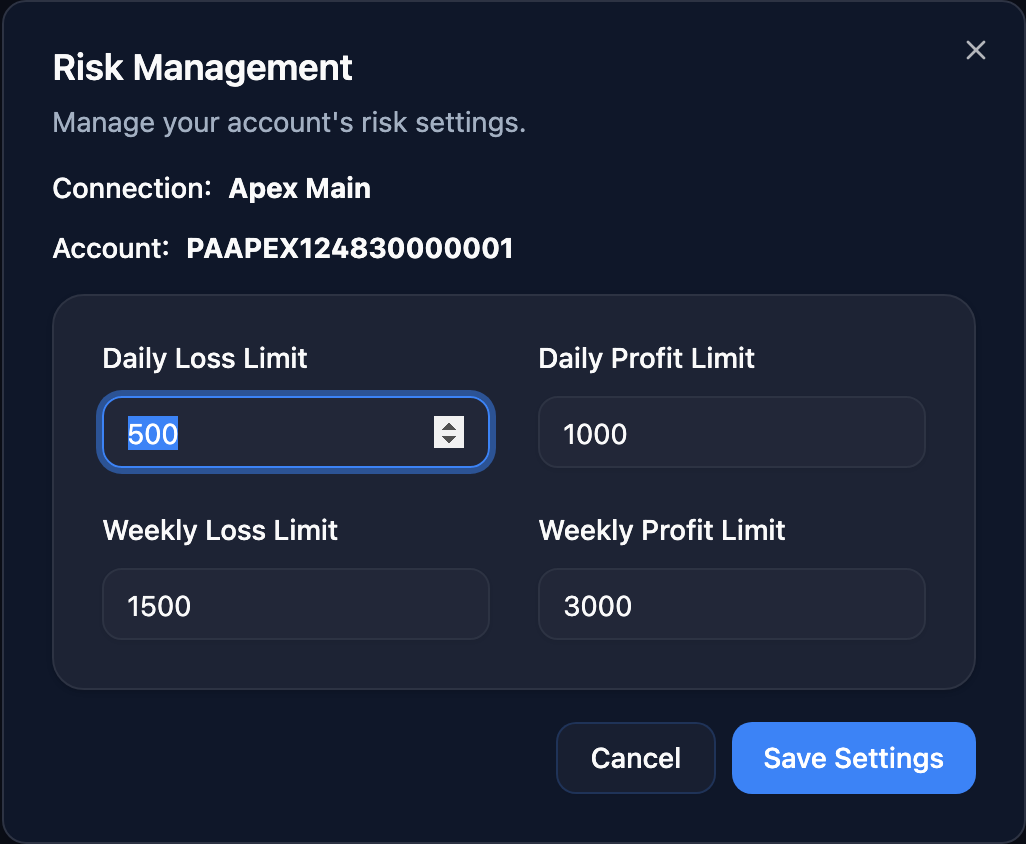
Set the rules once. Trade with a safety net. Configure per-account daily and weekly profit and loss limits in Echo Trader. When an account hits a limit, your broker halts trading and flattens open positions automatically — no willpower required.
Protect your accounts. Scale your trading.
Daily loss limit
Per account. When realized P&L crosses this threshold, the broker halts trading on the account and flattens open positions.
Weekly loss limit
Multi-day guardrail so a slow-bleed week can't take out an evaluation or funded account.
Daily profit limit
Hit your target for the day? The broker locks in the win and stops trading on the account.
Weekly profit limit
Cap the week's gains to protect against give-back. Take the win and move on.
Live drawdown view
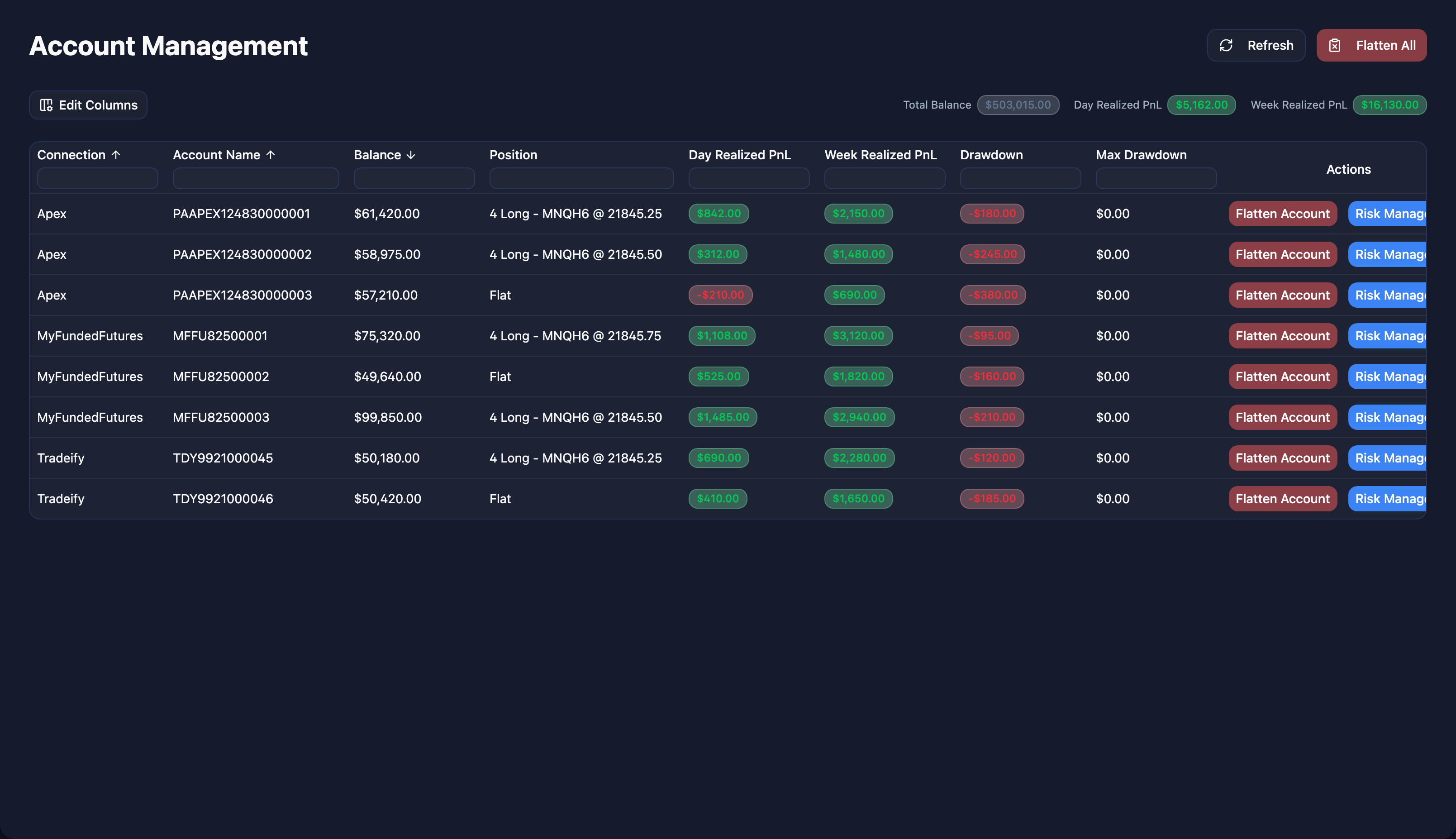
See real-time drawdown across every connected account in the dashboard, so you know exactly how much room you have before a limit trips.
Disable groups on demand
One click to pause any echo group when you need to step away, hedge, or ride out a news event. Re-enable when you're ready.
Set your limits. Enforce them.
Echo Trader configures the risk parameters directly on your broker account. When a limit hits, the broker halts trading and flattens positions. That's real enforcement, not a soft "we'll try to pause."
- Per-account limits — eval, funded, and live can each have their own
- Daily and weekly profit + loss limits on every account
- When a limit hits, the broker halts trading and flattens positions
- Live drawdown surfaced per account so you always know where you stand
- Disable any echo group manually with one click
- Change limits any time — takes effect immediately
Quick answers
Who actually enforces the limits — Echo Trader or the broker?
The broker. Echo Trader lets you configure the limits per account, and those settings are enforced by your broker's own risk engine. When you cross a threshold, the broker halts trading and flattens open positions automatically.
Can I have different rules per account?
Yes — every account can have its own daily and weekly profit and loss limits.
Can I turn copying off for a group without deleting it?
Yes. Any echo group can be disabled with one click from the Echo Groups page, then re-enabled when you're ready.
Where do I see my current drawdown?
Live per-account drawdown is shown on the Account Management page alongside balance and P&L.
Do the limits work for prop firm trailing drawdown?
Echo Trader tracks daily and weekly drawdown you can watch against your firm's trailing rule. Firm-specific trailing-rule awareness (Apex, MFFU, etc.) is on the roadmap.